
CANVA VS ADOBE FOR EVENT BRANDING IN KENYA: WHAT TO USE & WHEN
Updated: Sep 1, 2025
Ever found yourself stuck choosing between Canva and Adobe for an event project? You’re not alone. Whether you're designing for a baby shower, brand launch, or full-blown conference, the tool you use can shape how fast you work and how polished the final output is.
Let’s break it down with real-world insight for the Kenyan event space.
The Basics: What Each Tool Does Best
Canva: Perfect for quick, clean, and collaborative design. Think e-invites, social media posts, name tags, and signage that doesn’t need complex editing. It’s user-friendly and great when clients want to be part of the process.
Adobe (Illustrator, InDesign, Photoshop): Your go-to for precision and customization. Ideal when you're creating unique event logos, complex layouts, or high-res print collateral. Adobe shines when you're working with printers or need to tweak every detail.
When to Use Canva
I turn to Canva when timelines are tight and the project calls for fast, collaborative work. It’s especially useful when clients want access to editable files or prefer to give feedback as we go. I often use it to build quick mockups or wireframes to help clients visualize direction. It’s also ideal when working directly with event planners who need multiple iterations before final sign-off.
When Adobe Makes More Sense
Adobe comes into play when I need full creative control and precision. If I’m designing a custom illustration, prepping a layout-heavy program, or creating something meant for large-scale print, I reach for Illustrator, InDesign, or Photoshop. Adobe’s strength is in how much detail you can fine-tune; from color calibration to layout spacing, which is key when you’re working with vendors or creating bespoke visuals for high-end events. It’s also my go-to when client expectations are high and the vision needs to be crafted from scratch.

Real-World Hurdles
Incomplete or unclear brand guidelines: Sometimes you’re handed a logo and expected to guess the rest. No color codes, no visual direction, no vibe. You end up guessing and revising.
Font issues: A common one - the original designer used premium fonts, but the client doesn’t have the files (or even know the names). You’re either hunting down matches or proposing new ones, risking inconsistency.
Printer uncertainty: Not having direct contact with the printer makes it harder to confirm file type, bleed, or sizing specs. One wrong export can delay the whole timeline.
My Rule of Thumb
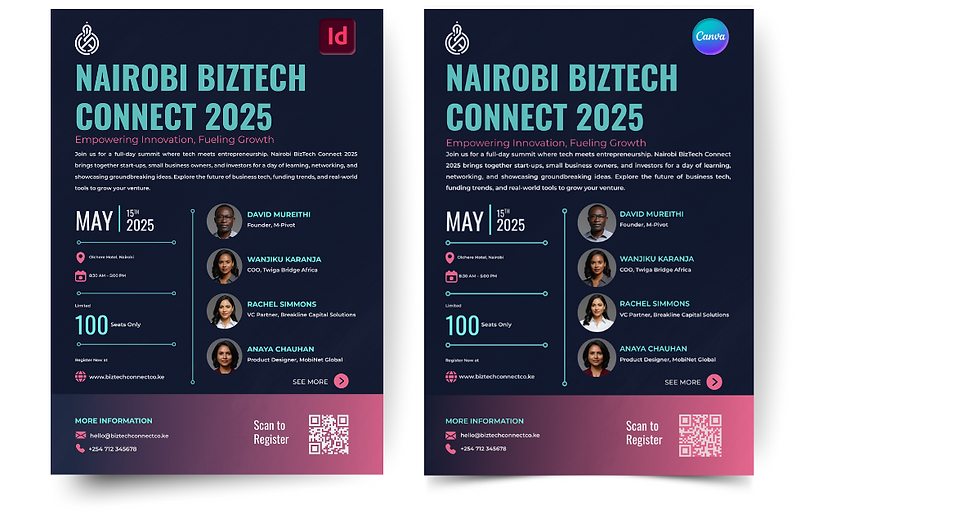
Canva is great for speed and collaboration. Adobe is better when you need total control. And sometimes, you’ll use both. For example, I often design graphics in Adobe, then drop them into Canva templates for my clients to edit or reuse later.
Want more tips like this?
Subscribe to the blog and look out for the next post.
Comments